New York Taxi Simulator Proximity Voice & Avatar Etiquette
Stay useful on Midtown’s 18-player servers — voice range, mute discipline, and high-fidelity avatar manners for cabbies.
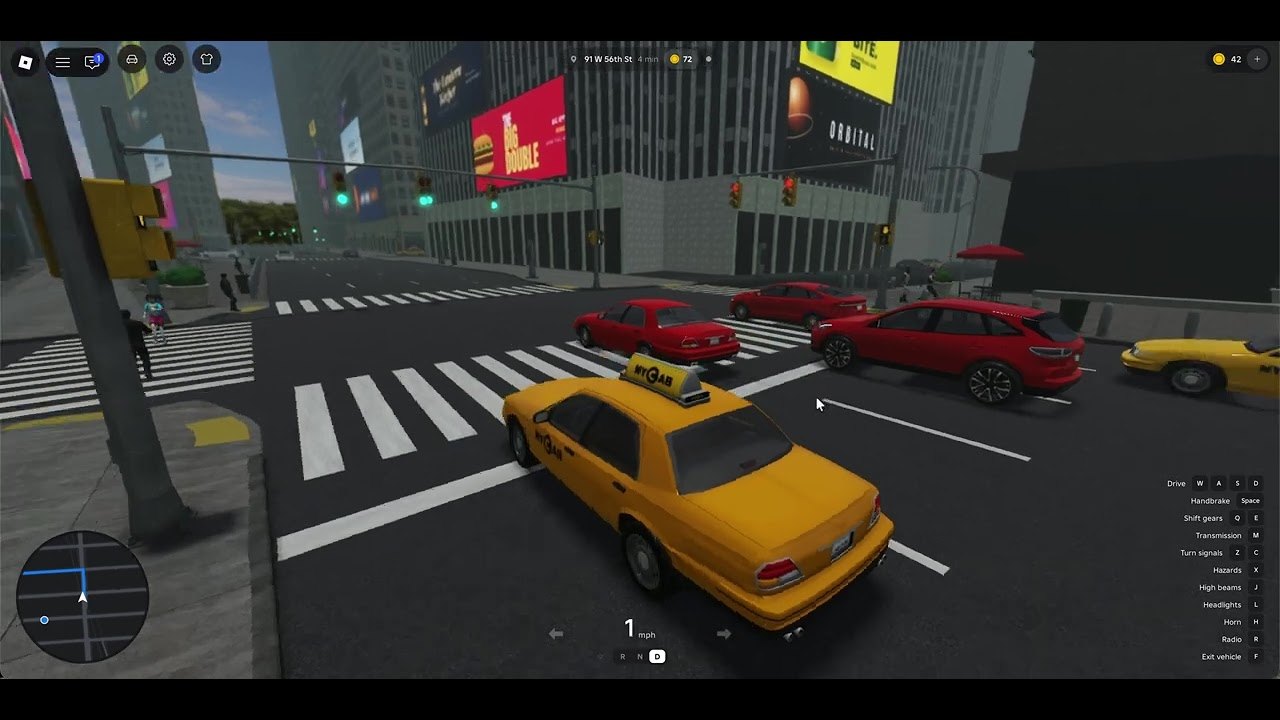
Why voice matters in Midtown
New York Taxi Simulator ships with proximity voice chat and high-fidelity avatars on a crowded 1:1 Midtown Manhattan map. Servers cap at 18 players, so you will hear people who share your block — not an entire city-wide megaphone. Used well, voice prevents pileups at hotel curb cuts, warns about wrecks, and makes co-op fares feel alive. Used poorly, it turns every avenue into noise and makes interactive passengers the least stressful part of the session.
This guide covers practical etiquette. Pair it with Controls for input setup, How to Drive & Earn for the fare loop, and the Players Hub for reputation habits that sit beside voice culture.
What “proximity” actually means for you
Proximity voice is distance-based: volume and presence drop as you leave another driver’s bubble. That design fits Midtown density — cross-town shoutouts should not blast someone finishing a drop-off three avenues away. Treat the feature like a cab radio for your immediate street, not a podcast booth.
Practical implications
- If you are stopped for a pickup, people rolling past may hear curb talk.
- If you chase a long fare north, your old intersection conversation fades naturally.
- Music, screamers, and open-mic eating hit everyone who enters your radius.
- Push-to-talk habits (where your platform allows) beat always-on mics in traffic jams.
Exact engine radii can change after patches. When behavior feels different after an update, re-test on a quiet street and skim Updates.
Device and Roblox privacy checklist
Before you blame the game, confirm platform basics:
- Roblox account voice settings allow chat in experiences that support it.
- Your OS mic permission is granted to the Roblox app or browser.
- The correct input device is selected — headsets beat laptop mics on windy desks.
- In-experience mute / deafen controls are not stuck from a previous session.
- Headphones reduce echo loops that make whole corners unusable.
New drivers should finish Getting Started once with voice off if the HUD already feels busy, then enable voice on session two.
High-value voice uses
Traffic coordination
Short calls help: “wreck on the left,” “holding the curb,” “clear behind.” Keep phrases tight so other drivers can react without a story.
Pickup courtesy
If two cabs arrive at the same hail, a calm “you take it” beats bumper wars. Interactive passengers already need clean stops; voice should lower conflict, not escalate it. More passenger-facing tips live under Players.
Learning the grid together
Friends can call landmark cues while you build Midtown memory. Still learn the silent habits in Midtown Map Tips so you are not helpless when the party disconnects.
Reporting confusion without toxicity
“Is that marker the drop-off?” is fine. Insults about someone’s high-fidelity avatar or accent are not. Eighteen-player servers remember repeat offenders.
Behaviors that ruin proximity voice
- Open-mic music or Discord bleed. Your playlist is not Midtown ambience for strangers.
- Screaming into every green light. Volume does not improve ETA; smooth driving in How to Drive & Earn does.
- Harassment at curb cuts. Blocking a hotel entrance while ranting traps other fares.
- Impersonation bits that confuse new players. Fake “admin voice checks” are a social-engineering pattern — never share passwords or account codes over voice.
- Stacking voice with unsafe scripts. Voice does not require executors. Keep Scripts bookmarked only for malware warnings.
If someone is abusive, use Roblox mute / report tools and move your cab. Do not floor it through AI traffic for revenge clips.
High-fidelity avatars — visual etiquette beside the mic
High-fidelity avatars make cab interiors and sidewalks feel premium. They also create new ways to be distracting:
- Giant accessories that clip through the taxi roof look funny once and then block camera reads — fix camera distance in Controls.
- Emote spam at a loading passenger wastes everyone’s time and can tank the social vibe the Players Hub tries to protect.
- Standing in the travel lane for avatar screenshots is how pileups start. Pull into a legal-feeling curb gap first.
- Matching “crew fits” is fine; blocking shop or hail spots for group photos is not.
Avatars advertise your taste. Voice advertises your judgment. Midtown hears and sees both.
Suggested session rules for friend groups
- Decide a default: push-to-talk or disciplined open mic.
- Keep non-game talk on a separate Discord channel when possible so proximity stays tactical.
- Assign one person to call major wrecks so five people do not overlap.
- Mute yourself during long straightaways if you are snacking or coughing.
- After a patch, spend two minutes verifying voice still works before a serious money grind (Money Tips).
Solo drivers still benefit
You can leave voice disabled and succeed. Many cabbies prefer silent focus while learning one-ways. That is valid. If you mute globally, rely more on visual HUD cues and the driving guide’s boarding checklist so you are not dependent on strangers calling destinations.
When you later enable voice, start with listening-only for a few minutes. Learn how loud Midtown already is with AI traffic and horns before you add your own channel.
Cross-links when something feels “off”
| Symptom | Where to look |
|---|---|
| Cannot steer and talk comfortably | Controls |
| Keep failing boarding timing | How to Drive & Earn |
| Lost after voice directions | Midtown Map Tips |
| Toxicity / reputation worries | Players Hub |
| First night overwhelm | Getting Started |
| Feature changed after a refresh | Updates Hub |
Launch-week honesty
Proximity voice and avatar fidelity are headline features on the Roblox page for place 77792272690728. Exact UI labels, platform availability, and moderation tools can shift as LD Interactive iterates. This page teaches manners and verification habits — not invented radius numbers. When official notes drop, we fold them into Updates and revise this guide if etiquette assumptions break.
Drive like your mic is on even when it is not. Midtown’s small servers make reputation local, fast, and sticky.
Frequently Asked Questions
Quick answers for Midtown taxi drivers.
Does New York Taxi Simulator have proximity voice chat?
Yes. Proximity voice is a headline feature alongside high-fidelity avatars. Confirm your Roblox privacy and device mic settings if you hear no one.
How many players can hear me?
Servers hold up to 18 players, but proximity voice is distance-based — mainly nearby drivers on your block, not necessarily the whole map.
Should I leave my microphone open all session?
Prefer push-to-talk or strict mute discipline. Open-mic music, echo, and side conversations make dense Midtown corners harder for everyone.
Do I need voice chat to earn fares?
No. Interactive passengers and the driving loop work without speaking. Voice is optional coordination — start with Getting Started and How to Drive & Earn either way.