New York Taxi Simulator Getting Started Guide
Your first hour as a Midtown cabbie — spawn, drive, earn, and avoid common launch-week mistakes.
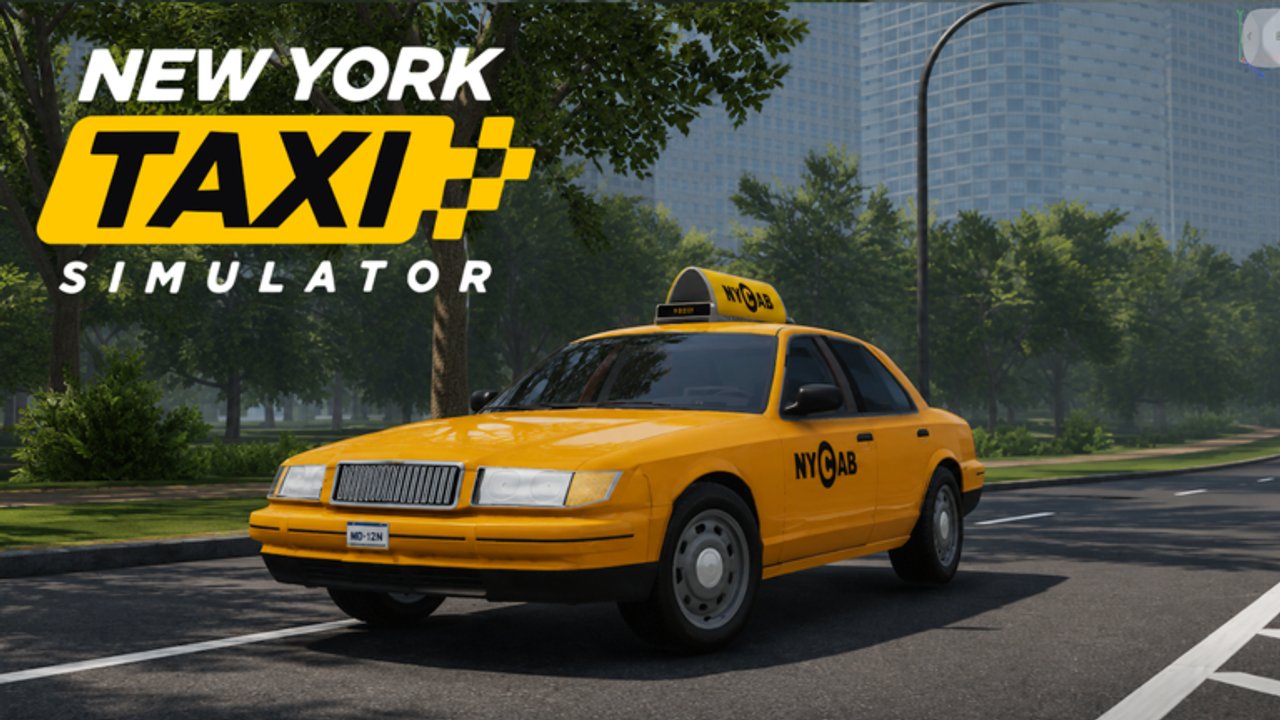
Welcome to Midtown
New York Taxi Simulator on Roblox puts you in a 1:1 Midtown Manhattan recreation built by LD Interactive (group / officiaI_ld). The experience launched November 10, 2026, is free-to-play, supports online co-op with up to 18 players, and features interactive passengers, AI traffic, proximity voice chat, and high-fidelity avatars.
This is not the 2016 Steam game, not Taxi Boss, and not Taxi Simulator Brick Cars. Confirm you are on place ID 77792272690728 (universe 10775690703) via the Links Hub.
Before you press Play
- Use a stable connection — dense Midtown plus voice chat is heavier than a simple tycoon.
- Put on headphones if you plan to use proximity voice; keep push-to-talk habits polite.
- Skim Controls so steering, camera, and horn bindings are not a surprise.
- Favorite the experience so Roblox highlights patches; follow news on the Updates Hub.
First-session checklist
1. Load in and orient
When you spawn, pause. Note the HUD: speed, fare state, and any objective markers. Midtown’s grid looks familiar if you know Manhattan avenues, but one-ways and construction-like clutter still punish blind left turns. Open Midtown Map Tips after this guide if street logic feels fuzzy.
2. Claim a starter taxi
Early vehicles favor forgiveness over top speed. Community footage often highlights classic yellow cabs in the Crown Victoria family as recognizable starters — exact unlock order can shift after patches, so treat names as guidance and re-check the Tier List before big purchases.
3. Complete your first pickup
Roll slowly toward a waiting passenger indicator. Stop cleanly, let the interactive passenger board, then confirm the destination prompt. Rushing the curb and clipping AI cars tanks both time and vibe. Full loop details live in How to Drive & Earn.
4. Deliver without drama
Follow the route suggestion when available, but stay ready to reroute around pileups. Smooth braking at the drop-off matters as much as raw ETA. Tip-friendly habits and rating advice continue in the Players Hub.
5. Bank your first fares
Spend on handling and reliability before cosmetics. If promo codes appear later, redeem them from the Codes Hub — none are confirmed at launch, and we will not invent any.
How a typical fare feels
- Spot or accept a passenger.
- Board and lock in the destination.
- Navigate Midtown traffic and other drivers.
- Drop off safely and collect pay.
- Immediately scan for the next hail.
That loop is the game. Mastery is map memory, patience in cross-town traffic, and reading passenger urgency without wrecking the cab.
Co-op etiquette in an 18-player server
You share the same avenues. Do not block hotel curb cuts for screenshots while others are loading passengers. Proximity voice is great for calling “clear on green” or warning about a wreck — it is not for blasting music into every cab on the block.
If someone is already stopped for a pickup, swing wide. Midtown density means one selfish double-park can stall three fares.
Progress goals for hour one
- Finish several clean drop-offs without flipping the taxi
- Learn two reliable north–south corridors and one east–west cut-through (Map Tips)
- Note which starter handling you prefer for the Tier List
- Decide whether voice chat helps or distracts your focus
- Bookmark Money Tips for session two grinding
Common beginner mistakes
- Treating it like a racing game. Fares care about arrival and smoothness more than red-light heroics.
- Ignoring AI traffic patterns. Yellow lights and packed avenues punish tunnel vision.
- Buying the flashiest unlock first. Unstable handling costs more in crashed time than it returns in flex.
- Following wrong-game guides. Taxi Boss codes and scripts do not apply — see Codes and Scripts.
- Skipping controls setup. Bad camera distance makes lane changes harder than they need to be.
What to read next
| Goal | Page |
|---|---|
| Bindings & cameras | Controls |
| Pickup → pay loop | How to Drive & Earn |
| Navigation | Midtown Map Tips |
| Income efficiency | Money Tips |
| Vehicle priorities | Tier List Hub |
| Passenger reputation | Players Hub |
Launch-week expectations
Early Roblox sims iterate quickly. UI labels, pay tuning, and vehicle stats may change after the November 10, 2026 release. When something on this page disagrees with a fresh patch, trust live game behavior and check Updates.
You are ready for the curb. Take one careful fare, then stack another — Midtown rewards drivers who learn the grid instead of fighting it.
Frequently Asked Questions
Quick answers for Midtown taxi drivers.
Is New York Taxi Simulator free on Roblox?
Yes. It is free-to-play. Optional purchases may exist later, but you can drive and earn fares without paying.
How many players can share a server?
Up to 18 players in online co-op on the Midtown Manhattan map.
Who developed the game?
LD Interactive (associated with the New York Taxi Simulator group / officiaI_ld on Roblox).
Where should I go after this beginner guide?
Read Controls, then How to Drive & Earn. Add Midtown Map Tips once you are comfortable with basic pickups.